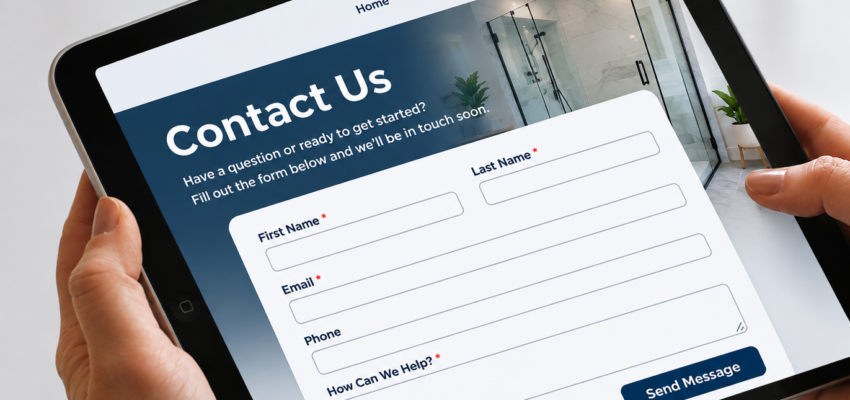
Your website may be attracting the right visitors, but are those visitors actually reaching out?
For many businesses, contact forms are one of the most important conversion points on their website. They’re where interested prospects take the next step, request information, or ask for a quote. Unfortunately, poorly designed forms can create unnecessary obstacles that cause potential customers to leave before submitting an inquiry.
The problem isn’t always a lack of traffic. Sometimes, it’s what happens when visitors are ready to contact you.
Too Many Fields Create Unnecessary Friction
One of the most common contact form mistakes is asking for too much information upfront.
While businesses naturally want to qualify leads, requiring visitors to complete lengthy forms can discourage them from reaching out. Someone who simply wants to ask a question may not be ready to provide their budget, project timeline, company details, and several other pieces of information.
Instead, focus on collecting what’s necessary to start a conversation.
For many businesses, a name, email address, phone number, and brief message are enough. Additional information can be gathered during the follow-up process.
The goal is to make contacting your business easy, not turn the first interaction into an application process.
Poor Mobile Experiences Drive Visitors Away
A contact form might look great on a desktop but become frustrating on a smartphone.
Small input fields, difficult-to-use dropdown menus, excessive scrolling, and buttons that are hard to tap can all prevent mobile visitors from completing a form.
With customers regularly researching businesses on their phones, mobile usability should be a priority.
Businesses should test their forms across devices to ensure fields are easy to complete, buttons are clearly visible, and the entire process feels simple.
Visitors Need a Reason to Submit
A generic heading that says “Contact Us” doesn’t always provide enough motivation.
Potential customers want to understand what happens after they submit their information. Will someone call them? Can they expect a quote? Are they scheduling a consultation?
Clear messaging helps remove uncertainty.
For example, instead of simply saying “Submit,” a button might say “Request a Consultation” or “Get Started.”
Adding a brief explanation of the next step can also make visitors more comfortable sharing their information.
Slow Follow-Up Can Waste a Great Lead
Even a perfectly designed contact form won’t generate meaningful business results if inquiries aren’t handled promptly.
When someone submits a form, they’re often actively comparing providers or looking for a solution. Delayed responses create opportunities for competitors to reach them first.
Businesses should have a clear process for managing incoming leads, including:
- Sending an immediate confirmation that the inquiry was received.
- Routing submissions to the appropriate team member.
- Using a CRM to track inquiries and follow-up activity.
- Establishing expectations for response times.
Automation can help ensure inquiries don’t disappear into an inbox or get overlooked during busy periods.
Contact Forms Should Be Measured and Improved
Many businesses track website traffic without paying enough attention to how their contact forms perform.
Understanding form performance can reveal opportunities to improve conversions without increasing advertising spending.
Useful metrics include form submission rates, form abandonment, qualified leads generated, and the percentage of submissions that become customers.
It’s also important to test forms regularly. Broken integrations, missing notifications, and technical errors can quietly cost businesses valuable opportunities.
Small improvements to form design, messaging, and functionality can make a meaningful difference over time.
Turn More Website Visitors Into Real Opportunities
Your contact form should make it easier for potential customers to connect with your business, not give them another reason to leave.
A successful website doesn’t just attract visitors. It creates a clear path from interest to action.
At SteerPoint, we help businesses improve their websites, strengthen conversion opportunities, and connect their digital marketing efforts to measurable results.
Ready to make your website work harder for your business? Contact SteerPoint to get started.
Frequently Asked Questions
How many fields should a contact form have?
There isn’t one ideal number for every business. The best approach is to request only the information necessary to begin a meaningful conversation. More complex services may require additional qualification questions.
Why are people visiting my website but not filling out my contact form?
Possible reasons include lengthy forms, unclear calls to action, mobile usability problems, lack of trust, or visitors who aren’t ready to inquire. Reviewing user behavior and conversion data can help identify the issue.
Can a contact form affect lead quality?
Yes. A well-designed form can attract more relevant inquiries by clearly explaining your services and asking a few purposeful qualification questions without creating unnecessary barriers.
How can I improve my contact form conversion rate?
Start by simplifying the form, improving mobile usability, clarifying the call to action, and testing the submission process. Track performance and make adjustments based on actual visitor behavior.